* One allowlisting action by your IT team is required, and launch is subject to a security review of up to one business day.
A phishing test for businesses:
phishing simulation for organizations
A phishing test for businesses (a phishing simulation) sends employees decoy emails and measures who opened, clicked or reported, and then produces a report. With PhishingU you can run it yourself from ₪999 per campaign (up to 100 employees), or get a managed service by quote, usually for organizations of more than 100 employees.
Last updated: 19.10.2026 | Written and reviewed by the PhishingU team
We use a sophisticated phishing system and a phishing exercise application that uses AI to create personalized campaigns, learn your organization, and deliver in-depth insights
Free phishing exposure check
The check will reveal, for example, whether someone can send an impersonating email in your organization's name to your customers.
Can hackers easily send a phishing email to your employees?
DMARC • SPF • DKIM - instant results
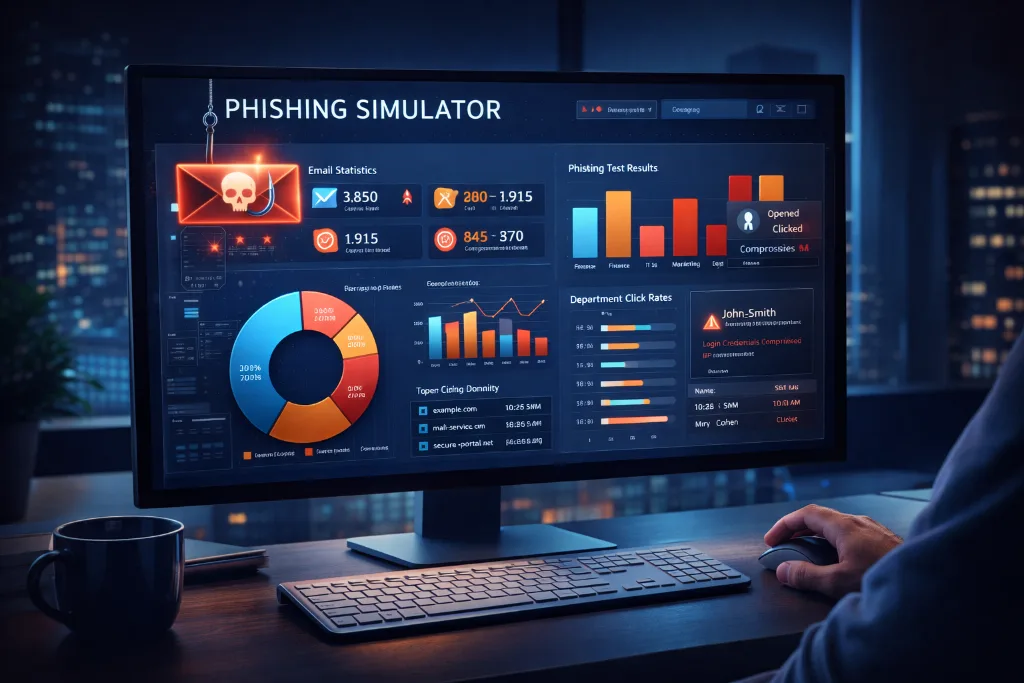
What is a phishing test and what does it measure
A phishing test for businesses is a controlled exercise: the organization sends employees decoy emails that imitate real requests, and checks who opened, who clicked and who reported. It is not an attempt to break into systems but a measurement of behavior, which is usually the weakest link in email attacks.
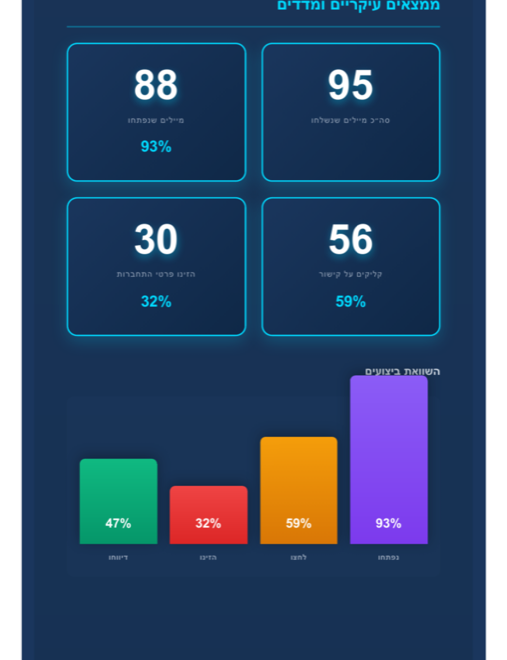
- Open rate: how many employees opened the email.
- Click rate: how many clicked the link, and in which scenario.
- Report rate: how many employees reported the email as suspicious. This is the most important measure for improvement over time.
How a phishing test runs, step by step
- 1. Choose a scenarioFrom templates in Hebrew that imitate real requests, such as an invoice message, a password update or a request from the manager.
- 2. Define the audienceUpload the employee list (up to 100 in the self-serve service) and choose when to send.
- 3. One allowlisting action by ITFor the emails to reach the inboxes, one simple action is required: allowlisting the sender, following structured instructions.
- 4. Security review and launchLaunch is subject to a security review of up to one business day, and then the campaign goes out.
- 5. Employees receive the emailWhoever clicks lands on a short explanation page that shows what could have been noticed, without collecting passwords.
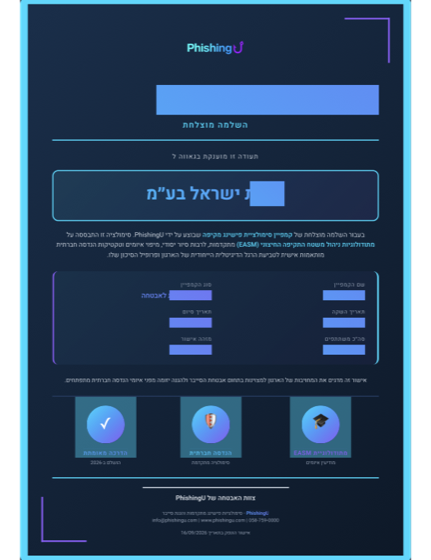
- 6. A summary reportOpen, click and report rates, and a certificate of participation for awareness training.
* Setup takes less than 15 minutes and requires no technical knowledge on your part, but one simple IT action is required (allowlisting the sender), and launch is subject to a security review of up to one business day.
What the report and certificate include
At the end of the campaign you receive a summary report with open, click and report rates, and a certificate of participation for awareness training. The certificate is evidence of training that supports part of the requirements of Amendment 13; this is not a confirmation of full compliance with the law.
Self-run or managed: how to choose
| Self-serve | Managed service | |
|---|---|---|
| Who runs it | The organization builds and runs it itself in the wizard | PhishingU plans, runs and analyzes |
| Price | From ₪999 per campaign, one-time, up to 100 employees | A quote by scope |
| Who it suits | A small business, a startup, an office, a team of up to 100 employees | Mainly organizations of more than 100 employees, or an annual program |
To run it yourself: Start here, from ₪999*. Full price list: How much does a phishing simulation cost. For a small business: Phishing simulation for small businesses. For those who also want training: Employee awareness training.
A phishing test by industry
Each industry has its own scenarios and risks. These are the detailed pages:
Frequently asked questions about a phishing test
What is a phishing test?
A phishing test (a phishing simulation or phishing exercise) sends employees decoy emails and measures who opened, who clicked and who reported. The result is a picture of awareness in the organization and a basis for training, not an attempt to break into systems.
How much does a phishing test cost?
With PhishingU's self-serve service the price starts at ₪999 per campaign, a one-time payment, up to 100 employees, with no subscription. For the managed service there is no fixed price; it is set by scope, mainly for organizations of more than 100 employees.
Do employees know in advance?
The decision is up to the organization. Many organizations prefer to announce in general terms that periodic exercises take place, without specifying a date, so as not to affect the results.
Does the test endanger the organization's systems?
The emails are decoy messages that contain no malicious code. The click leads to an explanation page, and the system does not collect passwords.
How often should you run a phishing test?
There is no single frequency that suits everyone. Many organizations run an exercise a few times a year and check whether the report rate rises and the click rate falls.
What is the difference between a phishing test and awareness training?
The test measures actual behavior, and the training teaches it. They complement each other: a test shows where to improve, and in-person or remote training addresses it.
Does the certificate prove compliance with Amendment 13?
No. The certificate of participation is evidence of awareness training that supports part of the requirements of Amendment 13, and it is not a confirmation of full compliance with the law or a standard.
System capabilities
An advanced AI-powered phishing simulation platform
Advanced artificial intelligence
Our simulator uses AI to learn the organization, analyze employee behavior, and create personalized phishing exercises that reflect real threats.
Personalized content
The system learns the organization, the industry, the organizational language and its unique characteristics, and creates relevant campaigns that look real.
Diverse attack channels
Our phishing application supports email, SMS, phone and social networks - every channel where employees encounter threats.
Real-time dashboards and insights
The phishing platform provides an interactive dashboard with real-time data, graphs, trends and practical insights for management.
Tracking improvement over time
The exercise system tracks employees' progress and the improvement in awareness, and provides comparative reports between campaigns.
Focused employee training
The system identifies employees who fall for the exercises and lets us tailor focused training and awareness for them.
Advanced AI learning
Our simulator uses advanced artificial intelligence to learn your organization in depth and create authentic, relevant phishing exercises:

Advanced dashboards and reports
In-depth insights and practical data from the phishing system


Key statistics
- Open rate
- Click rate
- Report rate
- Average response time
Department analysis
- Comparison between departments
- Identifying weak departments
- Focusing the training where it is needed
Progress analysis
- Trends over time
- Improved awareness
- Identifying high-risk employees
Automatic recommendations
- Suggestions for the next campaigns
- Identifying training gaps
- An improvement strategy
How does the simulator work?
From scoping to insights - the full process of the phishing system
Learning and scoping
The simulator learns the organization - industry, language, structure, relevant threats
Creating the campaign
The AI creates personalized phishing exercises with authentic, relevant content
Activation and launch
The system launches the campaign to the participants in a staged and controlled way
Monitoring and data collection
Real-time tracking of opens, clicks, reports and user behavior
Documentation and analysis
The system records every interaction and lets us analyze behavior and tailor training
Reports and insights
Detailed dashboards with insights, recommendations and risk mapping
Why choose our phishing application?
Advantages of the advanced system
Significant time savings
A fully automated system - from scoping to reports. No manual work is needed.
High accuracy
Personalized content that reflects real threats relevant to your organization.
Measurable improvement
Track the improvement in awareness over time with clear metrics.
Risk reduction
Identify and address weak points before they become a real incident.
Exercise documentation
Full documentation of exercises and campaigns, partial evidence that supports part of the training requirements.
An excellent user experience
A simple, convenient interface for managers and employees with clear guidance.
EASM - mapping the external attack surface
Find out what attackers know about you
Our simulator combines advanced EASM with AI - it simulates exactly the scans hackers run before an attack, and provides a detailed report with recommendations for closing exposures. Continuous monitoring is also available.